A private AI box in one apply
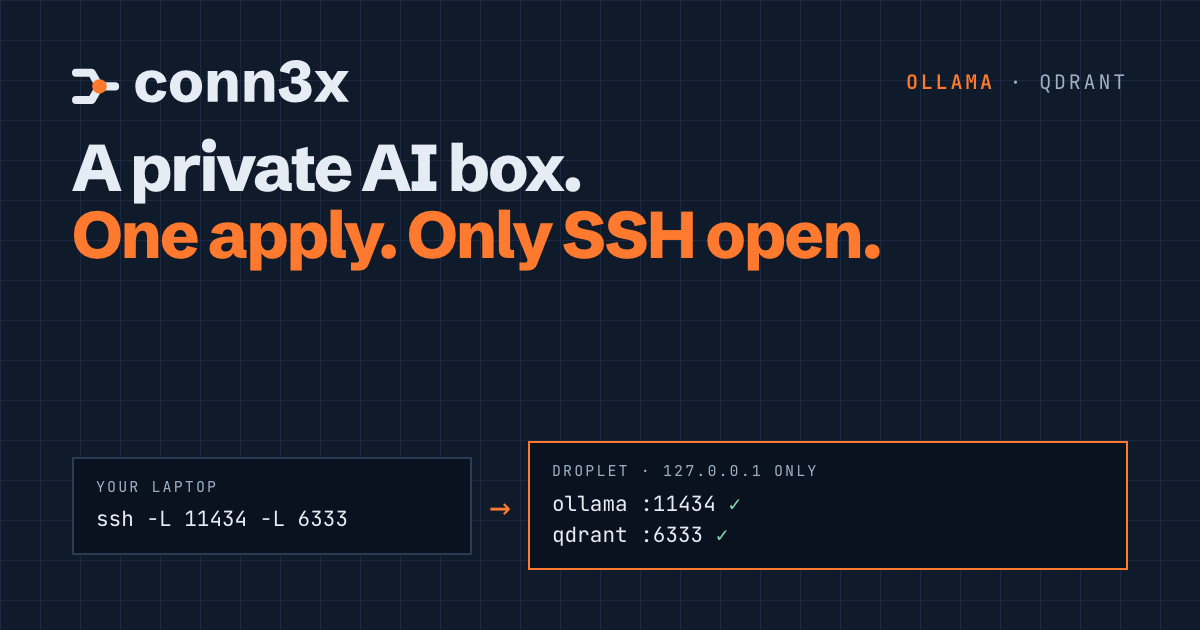
One conn3x apply builds a droplet, shuts everything but SSH, and runs Ollama and Qdrant where only the box can reach them. You ask questions of your own notes through an SSH tunnel, and nothing goes to anyone's API.
You’ve got notes you’d like to ask questions of. Runbooks, meeting notes, the wiki page nobody has touched since spring. Any hosted chatbot will read them for you, and that’s exactly the catch: paste them in and they live on someone else’s servers now.
So people build a small box of their own. A local model turns text into vectors and answers questions. A vector database keeps the vectors and finds the close ones. And nothing on the box listens to the internet. By hand that’s an afternoon: a server, SSH hardening, a firewall, two downloads to check, two systemd units, an API key, and a note to yourself about what you did.
Conn3x has circuits for both halves now, Ollama and Qdrant, and the Ollama repo carries an example that builds the whole box with one conn3x apply. This is the first post in a weekly series on what the circuits cover, and it’s the one I’d try first.
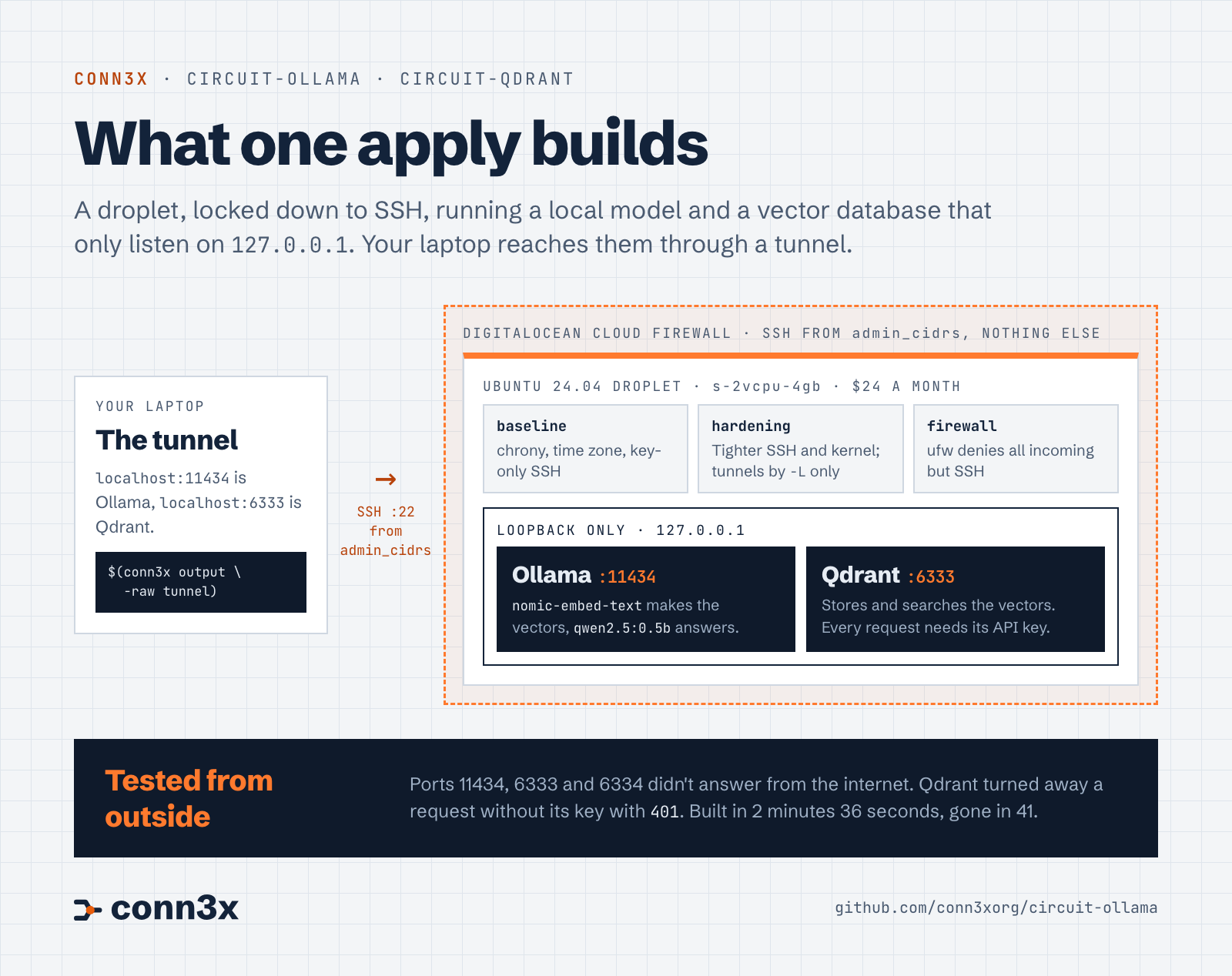
Read the diagram as text
- Your laptop:
$(conn3x output -raw tunnel)opens an SSH tunnel. While it’s open,localhost:11434is Ollama on the droplet andlocalhost:6333is Qdrant. - DigitalOcean: a cloud firewall lets in SSH from the addresses in
admin_cidrsand nothing else. - The droplet: Ubuntu 24.04,
s-2vcpu-4gb. circuit-baseline sets up chrony, the time zone and key-only SSH. circuit-hardening tightens SSH and the kernel, and allows tunnels with-Lonly. circuit-firewall runs ufw, denying everything incoming but SSH. - On loopback only: Ollama on
127.0.0.1:11434, withnomic-embed-textfor vectors andqwen2.5:0.5bfor answers. Qdrant on127.0.0.1:6333, which wants its API key on every request. - Tested from outside: ports 11434, 6333 and 6334 didn’t answer from the internet, and Qdrant answered a request without its key with
401.
What the one apply builds
On DigitalOcean, an Ubuntu 24.04 droplet, s-2vcpu-4gb in lon1 unless you say otherwise. Your SSH public key goes on your account. The droplet’s own host key is generated by the tls provider and installed by cloud-init, so Conn3x checks it from the very first connection without a known_hosts entry. And a cloud firewall lets in SSH from the addresses you name. Only those.
Then five circuits run on the droplet, side by side, as soon as it answers on SSH. Baseline, hardening and firewall lock it down. Ollama gets nomic-embed-text and qwen2.5:0.5b. Qdrant gets an API key from a random_password resource, so nobody has to invent one.
The droplet and the software on it live in one state file. They’re planned together, applied together and destroyed together, which is the whole point of doing it this way.
Why only SSH is open
Ollama’s API has no authentication at all. Anyone who can reach port 11434 can run your models, pull new ones onto your disk and delete the ones you have. We checked: with Ollama listening on 0.0.0.0 on a droplet, a plain curl from a laptop listed our models. Qdrant does have a key in this setup, but the key travels in plain HTTP.
So neither goes near the internet. Both listen on 127.0.0.1, and SSH carries your requests to them. Two firewalls stand in front of SSH: DigitalOcean’s drops everything that isn’t SSH from your addresses before it reaches the droplet, and ufw does the same on the droplet if the cloud firewall ever goes away.
There was one snag worth knowing about. circuit-hardening turns off SSH’s TCP forwarding by default, and that would kill the tunnel. The example sets AllowTcpForwarding = "local", which allows ssh -L and still refuses -R. You can reach in; nobody can use the box to publish a port of their own.
The arithmetic
An s-2vcpu-4gb droplet is $24 a month, or $0.03571 an hour, at DigitalOcean’s prices in October 2026. An hour of poking at it costs about 4 cents. The cloud firewall is free.
The apply downloads the Ollama release, which is 1.5 GB because it bundles the CUDA libraries, and the two models, about 670 MB between them. That’s why it takes minutes rather than seconds. Both models run on the CPU in 4 GB of memory with room to spare.
Build it
You’ll need Conn3x v0.6.7 or later, a DigitalOcean token with write access, an SSH key pair, and curl and jq on your machine.
git clone https://github.com/conn3xorg/circuit-ollama
cd circuit-ollama/examples/digitalocean

export DIGITALOCEAN_TOKEN=dop_v1_...
conn3x init
conn3x apply -var 'admin_cidrs=["203.0.113.7/32"]'
Put your own public address in admin_cidrs. curl -4 https://ifconfig.me will tell you what it is.
When the apply finishes, open the tunnel. The example prints the command as an output, so you don’t have to write it:
$(conn3x output -raw tunnel)
That runs ssh -L 11434:127.0.0.1:11434 -L 6333:127.0.0.1:6333 root@<ip>. Leave it open in its own terminal. Your own known_hosts doesn’t have the droplet yet, so ssh asks once; the key it shows is the one in tls_private_key.host.
Ask it something
In a second terminal, from the same directory, grab Qdrant’s key and make a collection sized for nomic-embed-text’s 768-number vectors:
export QDRANT_API_KEY="$(conn3x output -raw qdrant_api_key)"

curl -s -X PUT localhost:6333/collections/notes \
  -H "api-key: $QDRANT_API_KEY" -H 'Content-Type: application/json' \
  -d '{"vectors": {"size": 768, "distance": "Cosine"}}'
Now store a note. Ollama turns the sentence into a vector, and Qdrant keeps the vector with the sentence beside it:
text="The spare key to the shed is under the blue flowerpot."
vector=$(curl -s localhost:11434/api/embed \
  -d "$(jq -n --arg t "$text" '{model: "nomic-embed-text", input: $t}')" | jq -c '.embeddings[0]')

curl -s -X PUT 'localhost:6333/collections/notes/points?wait=true' \
  -H "api-key: $QDRANT_API_KEY" -H 'Content-Type: application/json' \
  -d "$(jq -n --arg t "$text" --argjson v "$vector" '{points: [{id: 1, vector: $v, payload: {text: $t}}]}')"
Then ask in different words, and search with the question’s vector:
question="Where did I leave the key for the garden shed?"
query=$(curl -s localhost:11434/api/embed \
  -d "$(jq -n --arg t "$question" '{model: "nomic-embed-text", input: $t}')" | jq -c '.embeddings[0]')

curl -s -X POST localhost:6333/collections/notes/points/query \
  -H "api-key: $QDRANT_API_KEY" -H 'Content-Type: application/json' \
  -d "{\"query\": $query, \"limit\": 1, \"with_payload\": true}" | jq '.result.points[0]'
“Flowerpot” never appears in the question. Qdrant finds the note anyway, with a score of 0.806. Hand that note to qwen2.5:0.5b with the question, and it answers “under the blue flowerpot”. The example’s README has that last command.
That’s retrieval-augmented generation, start to finish, and none of it left your machine except through the tunnel. Nothing left the droplet at all.
What we tested
We applied the example in lon1 from an empty state: 101 resources in 2 minutes 36 seconds, and the second plan said No changes. The droplet’s host key matched the one Conn3x generated. Ollama and Qdrant listened on 127.0.0.1 only, and ports 11434, 6333 and 6334 didn’t answer from outside. A request to Qdrant without the key got 401.
Every command above ran as written through the tunnel, in zsh. Then we rebooted. Ollama, Qdrant and ufw came back, the plan still had no changes, and the search found the same note. conn3x destroy took the droplet, the firewall and the SSH key away in 41 seconds.
What it doesn’t do
It runs on the CPU, and there’s no GPU support. The Ollama circuit doesn’t install NVIDIA or AMD drivers, CUDA or ROCm, and running on a GPU wasn’t tested. Small models and embeddings are fine on a CPU; big ones are slow. A bigger chat model also wants a bigger droplet, so set size: an 8B model needs about 8 GB of memory and about 5 GB of disk.
There’s no web UI, no TLS and no login in front of Ollama, which is why it stays on loopback. Qdrant doesn’t take backups for you either. It writes snapshots when you ask over its API, and copying them somewhere safe is your job.
And when you’re done, the droplet keeps costing money until you remove it:
conn3x destroy -var 'admin_cidrs=["203.0.113.7/32"]'
rm -f terraform.tfstate terraform.tfstate.backup
Delete the state file too. It holds the droplet’s private host key and the Qdrant key. For a box you mean to keep, turn on state encryption or keep state wherever you’d keep a secret.
Try it
The example has every input, every output and the full test notes. Both circuits work on their own as well, on Ubuntu, Debian, Fedora and Rocky Linux, so if you already have a machine at home, point them at that instead. They’re in the circuit directory with the rest.
If you feed it something more interesting than a shed key, I’d like to hear how it goes. Open a discussion and tell us what you asked it.