Catch the 3 a.m. fix
Someone fixes a server by hand in the night, and the next apply quietly undoes it. Run conn3x drift every morning in GitHub Actions and hear about it the same day instead.
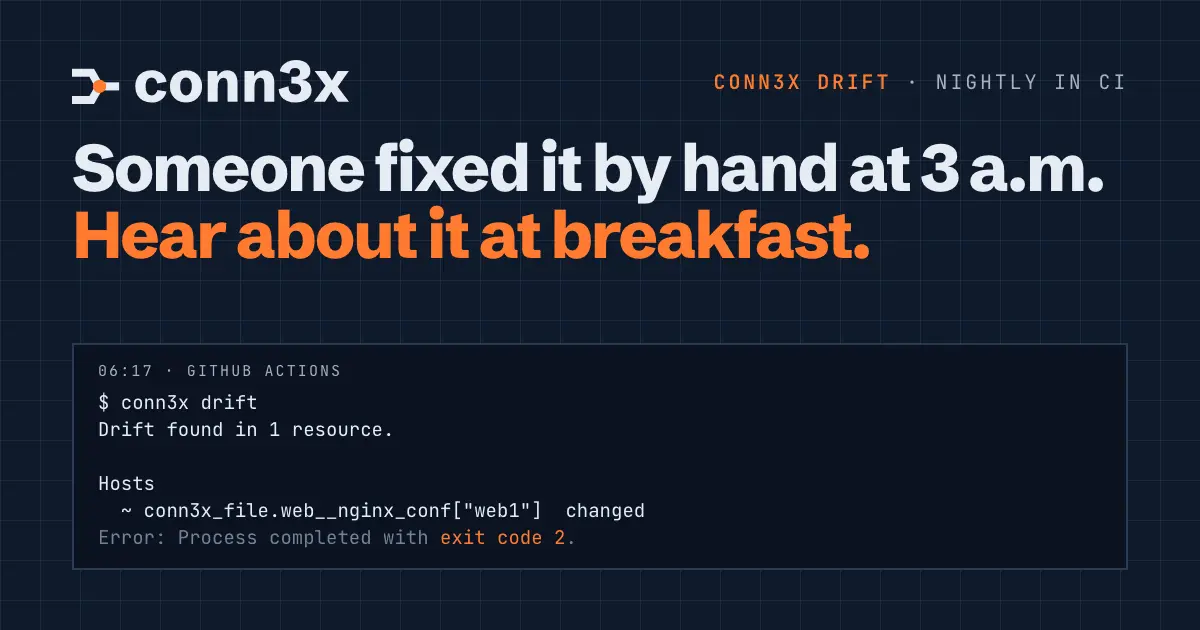
Your phone goes off at 3 a.m. You SSH in, change one line in a config file, restart the service and go back to bed. The fix works. Nobody writes it down.
Two weeks later a teammate runs conn3x apply for something unrelated. The plan is long, your line is one change among forty, and apply puts the old file back. The incident returns, and this time nobody knows why.
The fix was fine. Finding out at apply time, from a diff nobody was reading for it, was the problem. conn3x drift moves that moment to the next morning: run it on a schedule, and a hand edit on a server, or a change someone made in the cloud console, turns up as a GitHub issue before the coffee’s ready.
What drift reads
conn3x drift reads everything in state again and compares it with the last apply. That’s both layers: the cloud resources your providers manage, and every host step in your circuits, read over SSH. It changes nothing. Not the cloud, not the hosts, not state.
Here it is on the try-it-locally container, after someone rewrote /etc/motd and removed a package by hand:
$ conn3x drift
Drift found in 2 resources.

Hosts
  ~ conn3x_file.try__motd["box"]  changed
  ~ conn3x_package.try__tools["box"]  changed

Run conn3x plan to see what Conn3x would change to put them back.
Resize a droplet in the console and it lands in the same report, under Cloud. A file someone deleted shows as gone instead of changed.
Drift tells you which things changed, not how. That’s what the plan is for, and you’ll want it in a minute.
Exit 2 means drift
What makes drift worth scheduling is its exit code:
0: nothing drifted.2: something drifted. It’s also 2 when only output values changed, and the report says so.1: an error, such as a host that didn’t answer. Anything found before the error is still listed.
So a job can tell “your servers changed” apart from “the check itself broke”, and treat them differently.
The workflow
Put this in .github/workflows/drift.yml, in the repository that holds your configuration. Every morning it installs the v0.6.3 release after checking its checksum, loads the SSH key, runs conn3x drift and, on exit 2, opens an issue with the report. If a drift issue is already open, it comments there instead, so a week of ignored drift is one issue, not seven.
name: drift

on:
  schedule:
    - cron: "17 6 * * *"   # every morning at 06:17 UTC
  workflow_dispatch:

permissions:
  contents: read
  issues: write

jobs:
  drift:
    runs-on: ubuntu-latest
    env:
      CONN3X_VERSION: 0.6.3
      CONN3X_HMAC_KEY: ${{ secrets.CONN3X_HMAC_KEY }}
      # Plus whatever your backend and cloud providers need, for example:
      DIGITALOCEAN_TOKEN: ${{ secrets.DIGITALOCEAN_TOKEN }}
    steps:
      - uses: actions/checkout@v7

      - name: Install conn3x
        run: |
          tarball="conn3x_${CONN3X_VERSION}_linux_amd64.tar.gz"
          base="https://github.com/conn3xorg/conn3x/releases/download/v${CONN3X_VERSION}"
          curl -fsSLO "$base/$tarball"
          curl -fsSLO "$base/checksums.txt"
          sha256sum --check --ignore-missing checksums.txt
          tar -xzf "$tarball" conn3x
          sudo install conn3x /usr/local/bin/

      - name: Load the SSH key
        env:
          SSH_PRIVATE_KEY: ${{ secrets.SSH_PRIVATE_KEY }}
          SSH_KNOWN_HOSTS: ${{ secrets.SSH_KNOWN_HOSTS }}
        run: |
          install -d -m 700 ~/.ssh
          printf '%s\n' "$SSH_PRIVATE_KEY" > ~/.ssh/id_ed25519
          chmod 600 ~/.ssh/id_ed25519
          printf '%s\n' "$SSH_KNOWN_HOSTS" > ~/.ssh/known_hosts

      - run: conn3x init -input=false

      - name: Check for drift
        id: drift
        run: |
          set +e
          conn3x drift -no-color > drift.txt
          code=$?
          cat drift.txt
          echo "code=$code" >> "$GITHUB_OUTPUT"
          exit "$code"

      - name: Open an issue
        if: failure() && steps.drift.outputs.code == '2'
        env:
          GH_TOKEN: ${{ github.token }}
        run: |
          {
            echo "Something changed outside Conn3x. Run \`conn3x plan\` to see what."
            echo
            echo '```'
            cat drift.txt
            echo '```'
          } > body.md
          open=$(gh issue list --state open --search 'in:title "Drift found"' --json number --jq '.[0].number')
          if [ -n "$open" ]; then
            gh issue comment "$open" --body-file body.md
          else
            gh issue create --title "Drift found" --body-file body.md
          fi
On exit 2 the job fails and the issue opens. On exit 1 it fails without an issue, which is how you’ll know the check itself needs attention rather than your servers.
What the job needs
Drift reads hosts the same way plan does, so the job needs what a plan needs:
- The state your applies use. In practice, a remote backend with its credentials in the job’s
env. Aterraform.tfstateon someone’s laptop can’t be checked from CI. - Provider credentials for the cloud layer, like
DIGITALOCEAN_TOKENabove. - The SSH key, where state expects it. When drift reads a host, it connects with the
sshsettings recorded at the last apply. Aprivate_key_fileof~/.ssh/id_ed25519works on the runner because that’s where the job writes it; if yours points somewhere else, write it there. - Your known_hosts lines, as a secret. Conn3x always checks host keys, and there’s no switch to turn that off. Copy the lines from a
known_hostsyou trust rather than runningssh-keyscanin the job, which would trust whatever answers. - The HMAC key, if any file uses
content_wo. It’s the sameCONN3X_HMAC_KEYeverything else uses. With a different key, Conn3x stops and names the one state expects. - Values for your variables. Drift never prompts, so add
-var-fileorTF_VAR_variables for anything without a default.
Configuration in a subdirectory? Give both conn3x commands a -chdir, as in conn3x -chdir=infra drift -no-color, or set working-directory on those steps.
When the issue opens
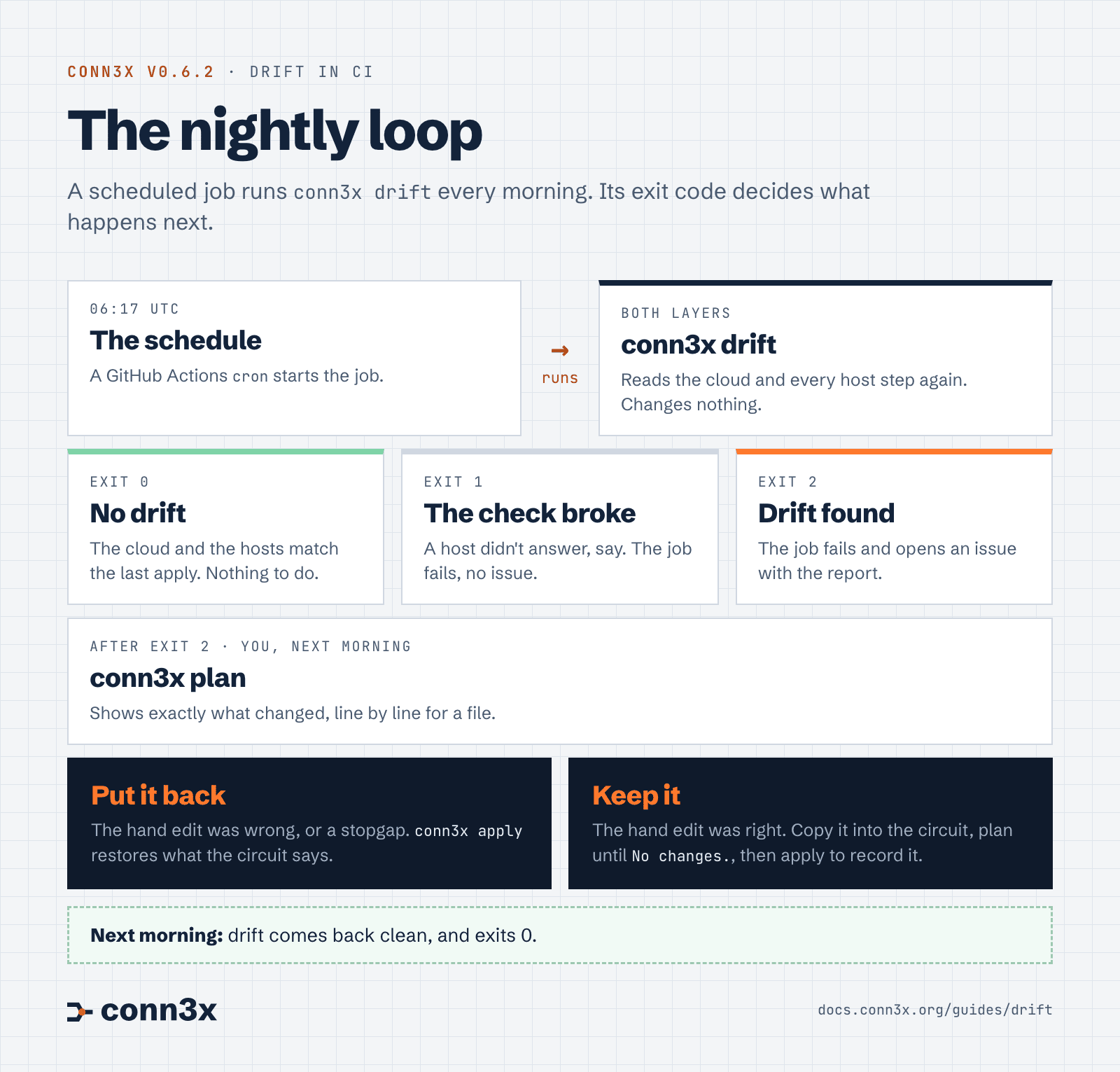
Read the diagram as text
- Every morning: the schedule runs
conn3x driftin GitHub Actions. - Exit 0: the cloud and the hosts match the last apply. Nothing to do.
- Exit 1: the check broke, such as a host that didn’t answer. The job fails without an issue.
- Exit 2: something drifted. The job opens an issue with the report.
- Then: run
conn3x planto see exactly what changed. - Put it back: if the hand edit was wrong, or a stopgap you’ve since fixed properly,
conn3x applyrestores what the circuit says. - Keep it: if the hand edit was right, copy it into the circuit. Plan until it says no changes, then apply to record it.
- Next morning: drift comes back clean.
Start with a plan, from wherever you normally apply:
conn3x plan
For a file, it shows the exact line, the night’s version against the circuit’s. Now decide which one is right.
Put it back. If the hand edit was a mistake, or a stopgap you’ve since fixed properly, conn3x apply restores what the circuit says.
Keep it. If the 3 a.m. fix was right, copy it into the circuit and plan again. When the plan says No changes., apply anyway: that records the host as it is now, so tomorrow’s drift comes back clean. And the fix is in Git, where the next person will find it.
Close the issue either way. Tomorrow’s run opens a fresh one if anything else moves.
Nights like that will keep happening; servers break when they break. What changes is when you hear about a hand edit: the next morning, while whoever made it still remembers why.
Try it
The try-it-locally example has the hand edit in its README. Start the container, apply, change /etc/motd over SSH and run conn3x drift to see exit 2 for yourself. Find drift in the docs covers the command, and the drift reference lists its options and exit codes.