Pick the parts, get a config you can run
The Circuit Builder at conn3x.org/build turns a distribution and a handful of circuits into a main.tf, a README and, when there are secrets, a variables.tf. It greys out what can't work together, keeps passwords out of the file, and runs in your browser.
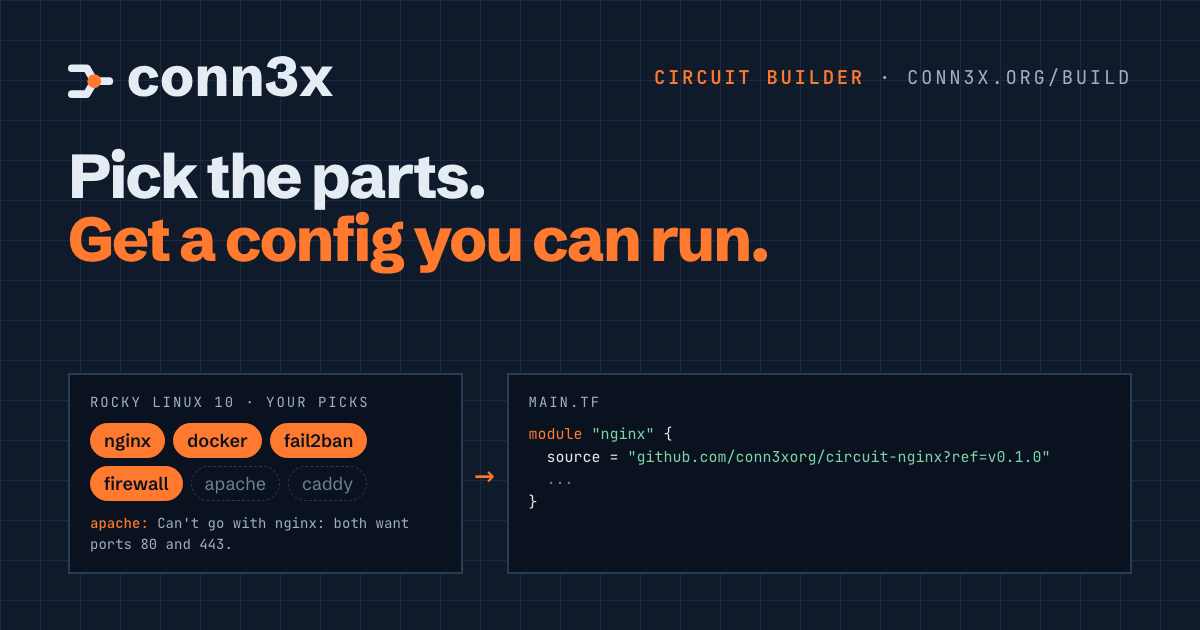
Say you want nginx, Docker, fail2ban and a firewall on two Rocky Linux boxes. Every one of those is a circuit already, tested on real hosts. What stands between you and conn3x apply is a blank main.tf.
So you open four READMEs. You copy four module blocks and pin four release tags. You work out which inputs are required and which have sensible defaults, and then you remember the firewall needs to be told about port 80, or nginx will sit there serving nobody. None of it is hard. All of it is fiddly, and fiddly is where a typo in a version tag eats your evening.
That’s the job the Circuit Builder does. You pick a distribution and the circuits you want, fill in the few values they can’t guess, and it writes the config. It doesn’t touch a server. It writes files you read, keep and run yourself.
Three steps, then your files
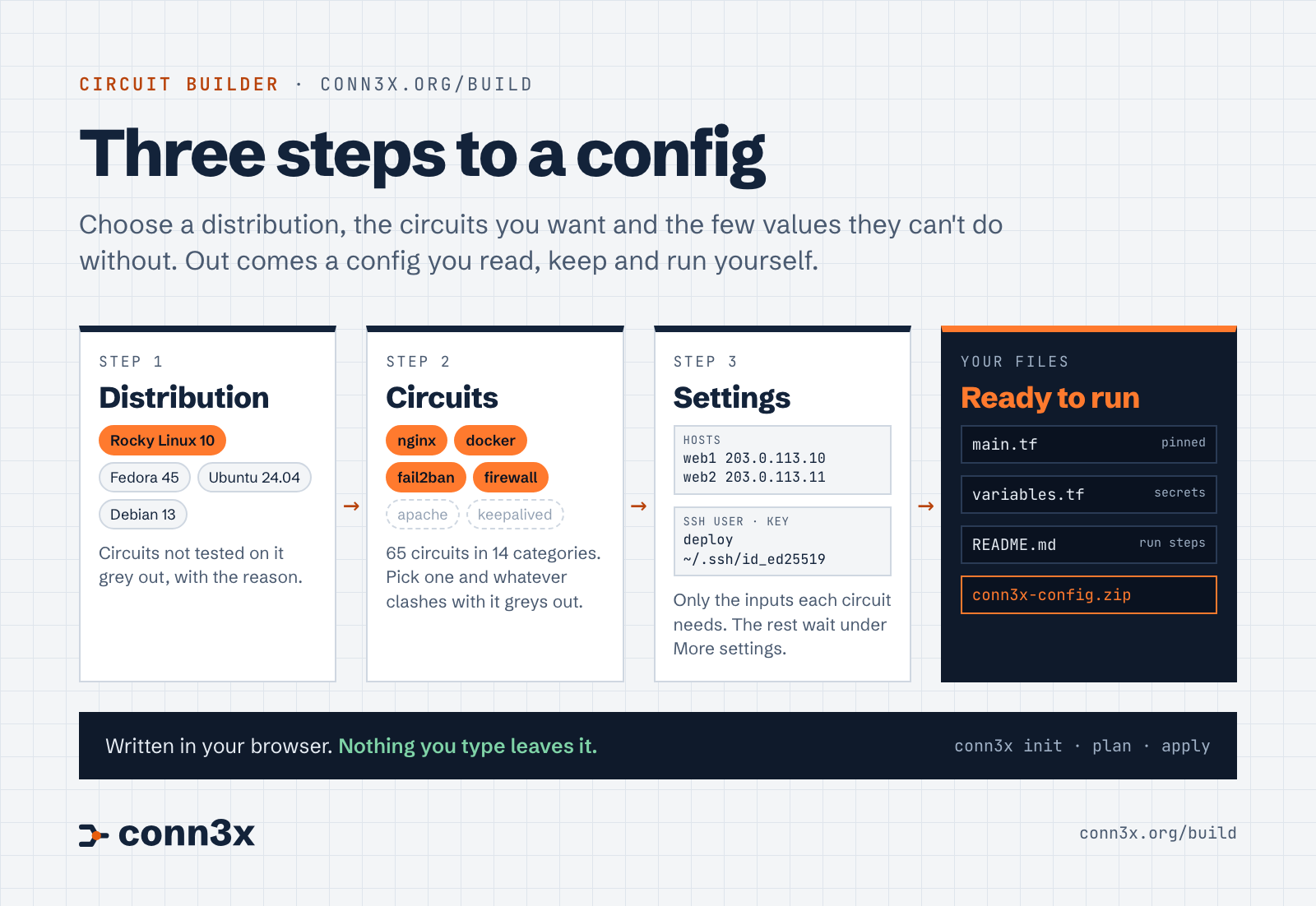
Read the diagram as text
- Distribution: Rocky Linux 10, Fedora 45, Ubuntu 24.04 or Debian 13. Circuits that aren’t tested on it grey out, with the reason.
- Circuits: 90 of them, grouped by the same 14 categories as the circuit directory. Picking one greys out anything that clashes with it.
- Settings: your hosts, one per line, the SSH user, key and
known_hostsfile, and whether to use sudo. Then only the inputs each circuit can’t do without. The rest sit under “More settings” with the circuit’s own defaults showing. - Your files:
main.tf, avariables.tfwhen there are secrets, and aREADME.mdwith the run steps. Copy them one at a time or downloadconn3x-config.zip.
The distribution comes first because everything else depends on it. A circuit is offered only on the distributions its own CI tests it on, so on Rocky Linux 10 you’ll find Zeek greyed out with “Not tested on Rocky Linux 10 yet.” It isn’t hidden. You can see it’s there and why you can’t have it today.
Then the circuits, and this is where the builder earns its keep.
What it won’t let you do
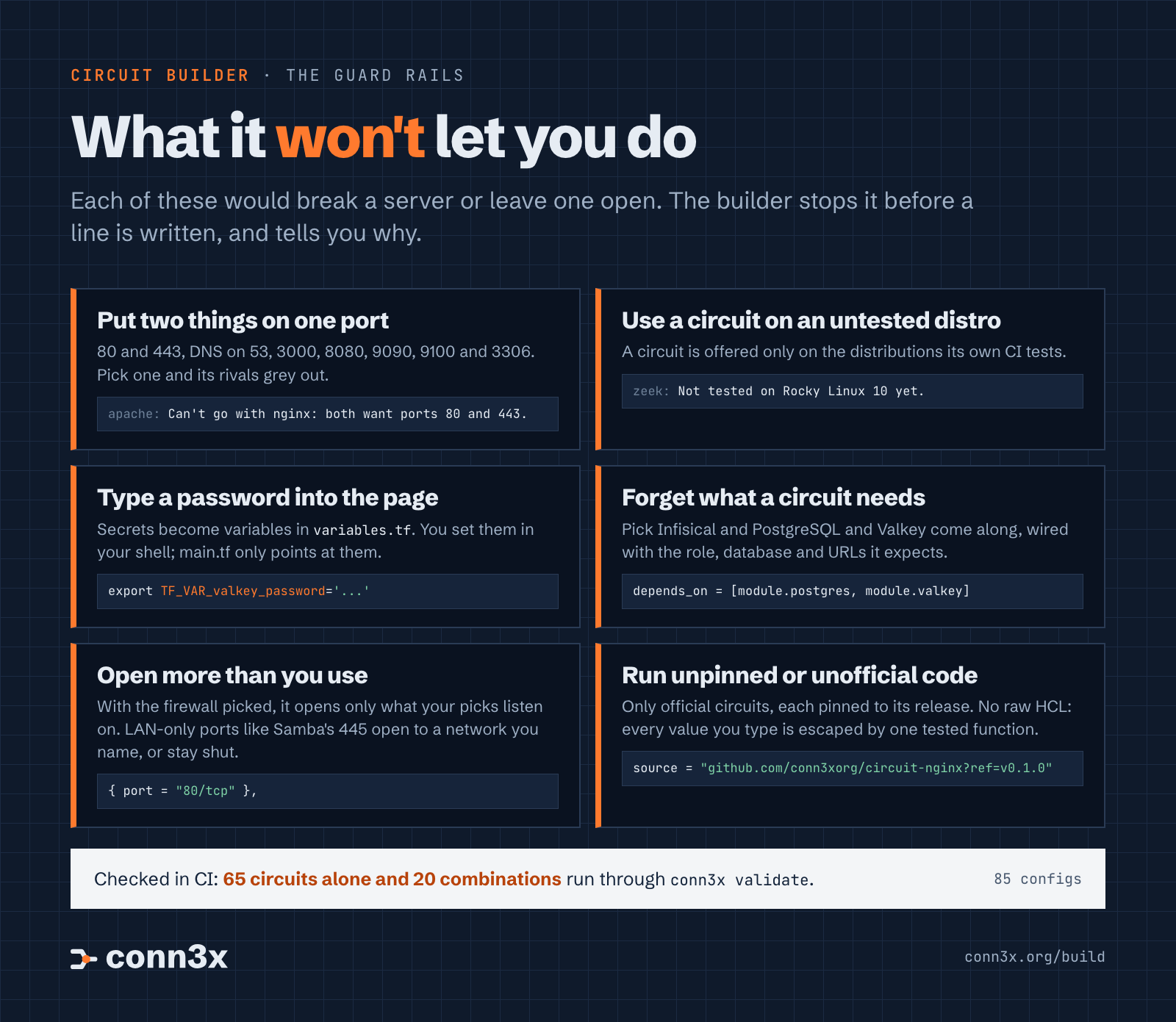
Read the panel as text
- Two things on one port. Circuits that want the same port can’t share a host, so picking one greys out its rivals.
- A circuit on an untested distribution. It’s offered only where its CI runs.
- A password typed into the page. Secrets become variables in
variables.tf, set withTF_VAR_...in your shell. - A missing dependency. Infisical brings PostgreSQL and Valkey along, wired the way its README shows.
- More open ports than you use. The firewall opens what your picks listen on, and LAN-only ports open only to a network you name.
- Unpinned or unofficial code. Only official circuits, each pinned to its release, and no raw HCL.
Pick nginx and four chips fade: Apache, Caddy, HAProxy and Traefik. Under them, one line each says why: “Can’t go with nginx: both want ports 80 and 443.” Pi-hole and GitLab grey out too, since both want 80 and 443 for their web pages. The same goes for DNS on 53 (Pi-hole, AdGuard Home, Unbound, BIND), 3000 (Grafana, Forgejo, AdGuard Home’s web UI, the monitoring stack), 8080, 9090, 9100 and MySQL’s 3306. MySQL and MariaDB clash twice over, because their packages replace each other.
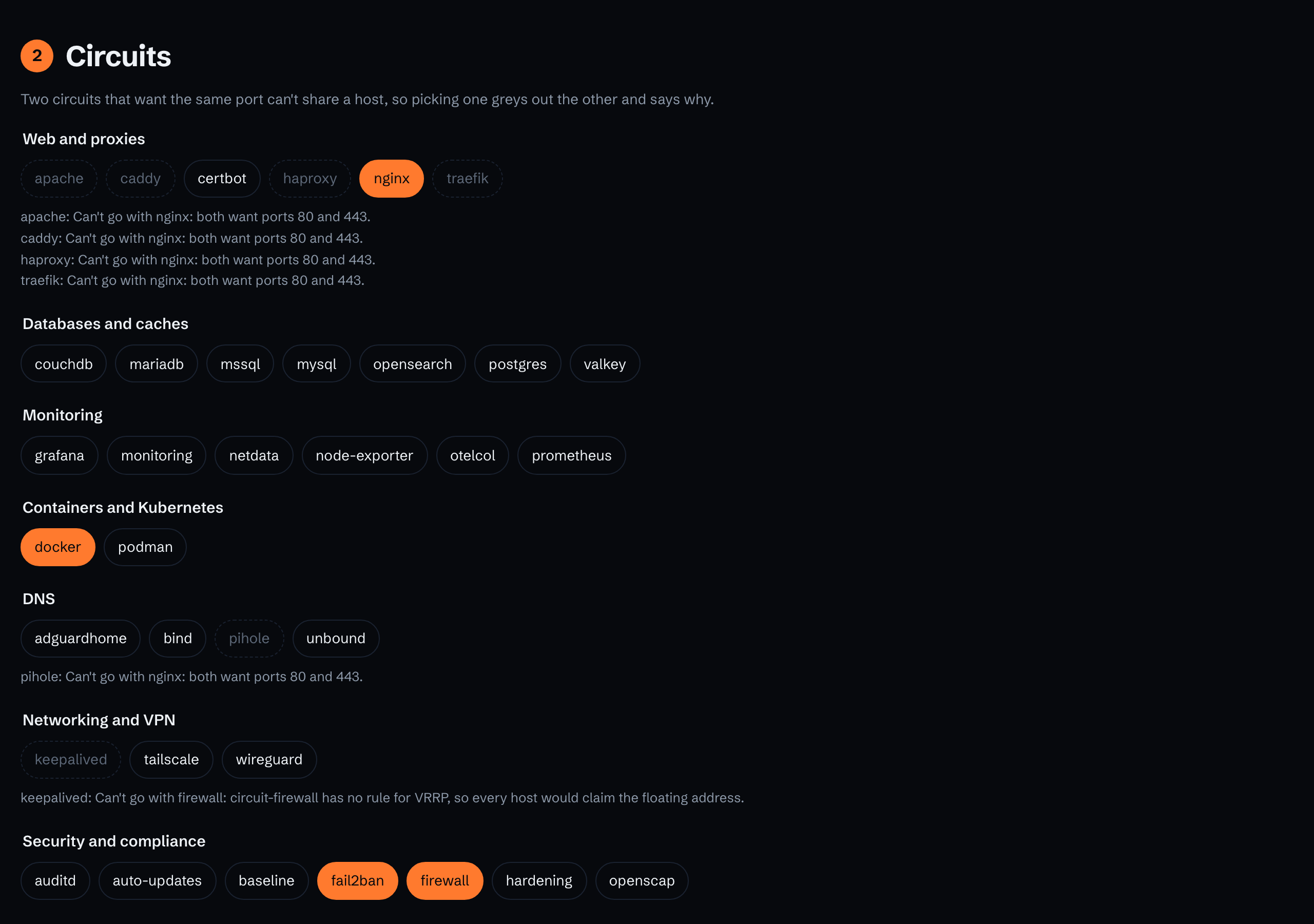
Not every clash is a port. Pick the firewall and keepalived greys out, because circuit-firewall has no rule for VRRP and every host would claim the floating address. That’s the kind of thing you’d find out at 2 a.m., not from a README.
Some circuits need others. Pick Infisical and PostgreSQL and Valkey come along, wired the way Infisical’s README shows: a role, a database and its password in PostgreSQL, both connection URLs filled in, and a depends_on so they’re ready first. The monitoring stack brings Docker for the same reason.
A few circuits aren’t in the builder yet, and the page says so with a reason each. k3s, kubeadm and Velociraptor have two kinds of host, servers and the machines that join them, and v1 writes one group. Proxmox turns the host into a hypervisor, and MicroShift takes over the whole box. Their READMEs show how to set them up by hand.
Secrets stay out of the file
Any input a circuit marks sensitive or ephemeral never becomes a value in main.tf. The builder writes a variable for it in variables.tf, and main.tf points at the variable. Here’s what Infisical on Rocky Linux gets:
variable "infisical_db_password" {
  type        = string
  description = "db_password for infisical. Set TF_VAR_infisical_db_password; it never goes in a file."
  sensitive   = true
  ephemeral   = true
}
The README tells you to set it in your shell before you plan, with export TF_VAR_infisical_db_password='...'. There’s no field on the page to type it into, so it can’t end up in a screenshot, a zip or a commit.
What comes out
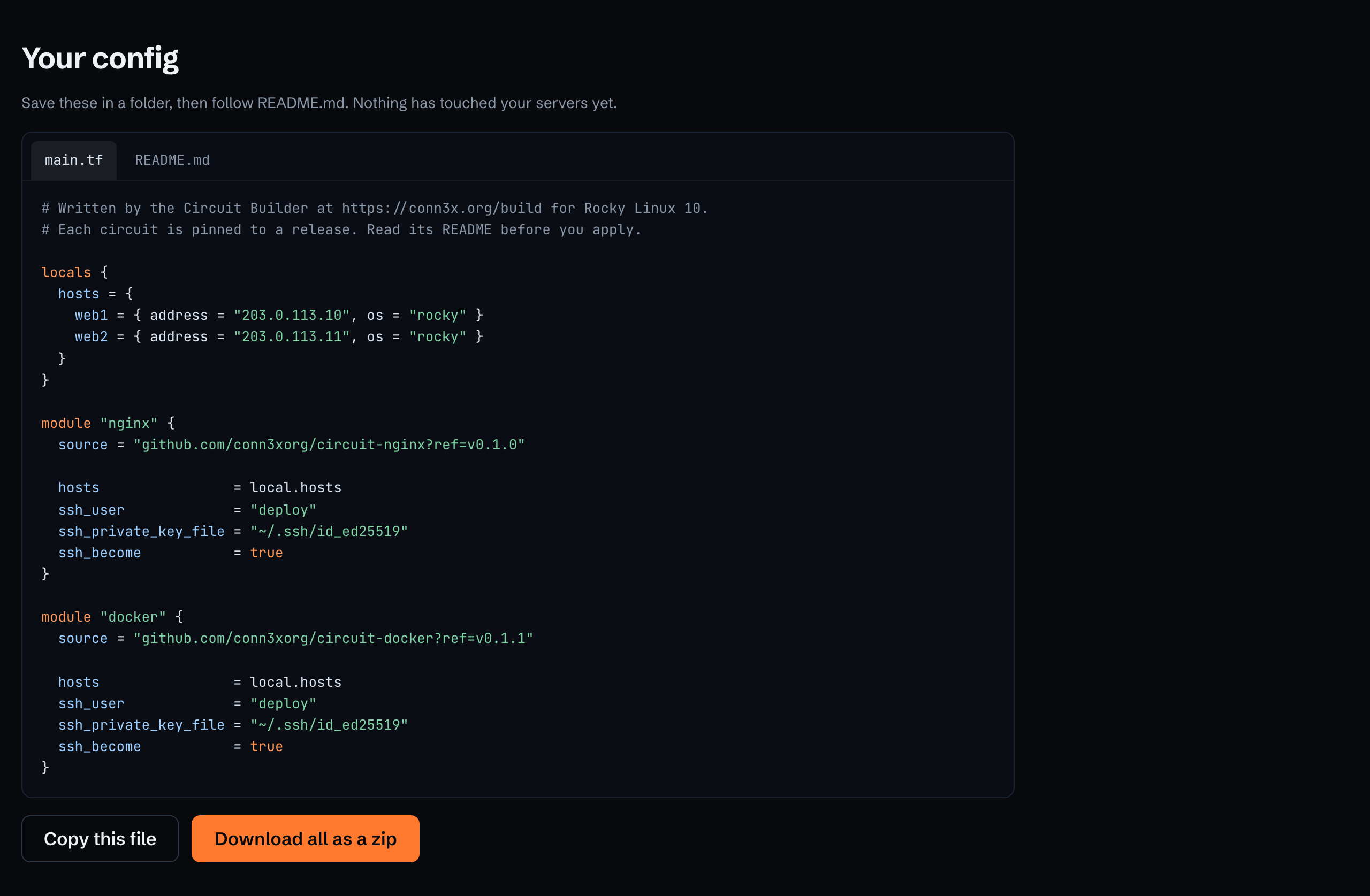
Here’s the main.tf for the build in the video: Rocky Linux 10, nginx, docker, fail2ban and firewall, on two hosts. It’s word for word what the builder wrote, with the docker and fail2ban blocks trimmed because they look like the nginx one.
# Written by the Circuit Builder at https://conn3x.org/build for Rocky Linux 10.
# Each circuit is pinned to a release. Read its README before you apply.

locals {
  hosts = {
    web1 = { address = "203.0.113.10", os = "rocky" }
    web2 = { address = "203.0.113.11", os = "rocky" }
  }
}

module "nginx" {
  source = "github.com/conn3xorg/circuit-nginx?ref=v0.1.0"

  hosts                = local.hosts
  ssh_user             = "deploy"
  ssh_private_key_file = "~/.ssh/id_ed25519"
  ssh_become           = true
}

# module "docker" and module "fail2ban" follow, pinned to v0.1.1 and v0.2.0.

module "firewall" {
  source = "github.com/conn3xorg/circuit-firewall?ref=v0.2.0"

  hosts                = local.hosts
  ssh_user             = "deploy"
  ssh_private_key_file = "~/.ssh/id_ed25519"
  ssh_become           = true
  allow = [
    { port = "80/tcp" },
  ]
}
Three things are worth a second look. Every source is an official circuit pinned to the release in the directory, so the config you run next month is the one you read today. Each host carries os = "rocky", which the circuits check against the real machine before they change anything. And the firewall opens 80/tcp and nothing else, because nginx is the only pick listening beyond loopback. SSH stays open on its own. The README spells it out: “SSH stays open. It also opens 80/tcp (nginx) to everyone.”
Ports that belong on your own network get more care. Samba’s 445, NFS’s 2049, node_exporter’s 9100, Cockpit’s 9090 and a few more open only to a network you type in, like 192.168.1.0/24. Leave that empty and they stay closed, and the README says which ones.
There’s no free-text box that becomes code. Every value you type goes through one function that writes it as an HCL string, number, bool, list or object, with ${ and %{ escaped. References like local.hosts come only from the builder itself. You can’t paste a block of HCL into a field and have it land in the file.
Nothing leaves your browser
The builder is a page and a plain JavaScript module. The circuit data, the inputs and the rules are part of the page, and the files, the zip included, are written right there in your browser. Hostnames, addresses and key paths don’t go anywhere. Neither does anything else you type.
How we know the configs work
A builder that writes broken configs would be worse than no builder. So the site’s CI runs the same code the page runs and writes every one of the 90 circuits on its own, plus 34 realistic combinations across the four distributions: Apache, MySQL and Certbot on Ubuntu, Infisical and Caddy on Rocky, the monitoring stack with Samba and NFS on Debian, and this post’s nginx build among them. That’s 124 configs. Each one goes through conn3x fmt -check, then conn3x init -backend=false and conn3x validate, with the latest Conn3x release, checksum checked.
Validate runs each circuit’s own validation rules on the values, so a bad sample value fails the job as surely as bad syntax does. If any one of the 124 fails, the job fails. Unit tests sit underneath: the escaping, including attempts to break out of a string, the type of every input of every circuit, the conflicts, the secrets, the firewall and the zip format, and a check that circuits left out of the builder can’t be generated.
What validate can’t do is apply. It proves the config is well formed and the values are ones the circuits accept. The circuits themselves are applied for real: each one’s CI applies it to a systemd container of every distribution it lists and checks that it works, and each was run on cloud servers before its first release.
What it doesn’t do yet
It can create your servers on DigitalOcean, Google Cloud, AWS or Azure, but not on other clouds yet. Azure here means Linux hosts, with Windows still to come. Fedora 45 stays off Google Cloud, which has no base image for it, and the builder tells you so. Rocky on Azure makes you accept Marketplace terms first, and we’d rather you did that knowingly than have a config do it for you, so the README it writes gives you the command. And kubeadm isn’t in it yet, because joining its control planes and workers takes more than a list of hosts.
Forgejo, Keycloak, Matrix and LLDAP work without a database circuit, on SQLite or a file meant for trials, so the builder doesn’t wire PostgreSQL to them. Their hints point at the README, which shows how.
Try it
Open conn3x.org/build, pick a distribution and see what greys out. If you’re new to Conn3x, the README it writes walks you from conn3x init to conn3x apply, and the get started guide covers installing it.
If the builder greys out something you think should work together, or writes something you didn’t expect, open a discussion and tell us what you picked. The rules live in one file, builder.json, so a good report turns into a fix quickly.