Private chat that stays private
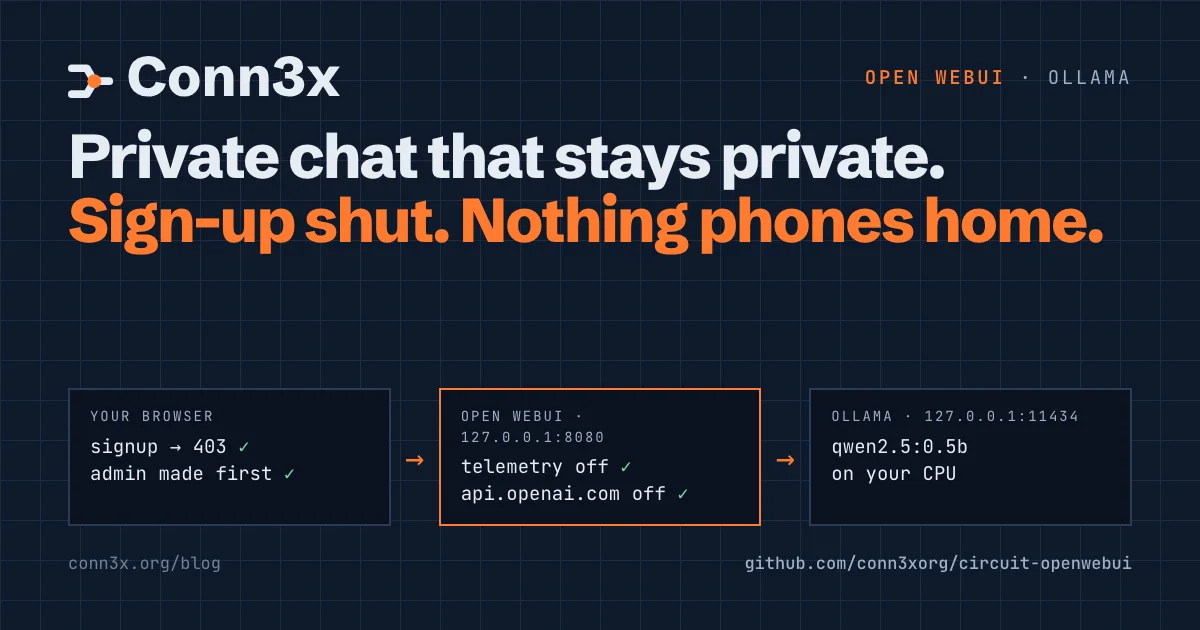
Your team wants a ChatGPT they can use for real work. circuit-openwebui runs Open WebUI next to a local model with every door starting shut: no sign-ups, no models until an admin grants them, and nothing phoning home.
Your people are already using a chatbot for work. The question is whose. If the answer is “a personal account on a free tier”, then the contract draft, the customer list and the stack trace with the database password in it have all gone somewhere you can’t see.
Telling them to stop rarely works. Giving them something just as easy, on a machine you control, usually does. Open WebUI is that something: a chat page in the browser that looks and feels like the one they know, in front of models you pick. circuit-openwebui runs it on your own host, and it’s the third post in our series on AI you can account for.
What makes it worth a post is the starting position. A chat app you’re about to hand to a whole team should start closed and be opened on purpose, and that’s how the circuit sets it up.
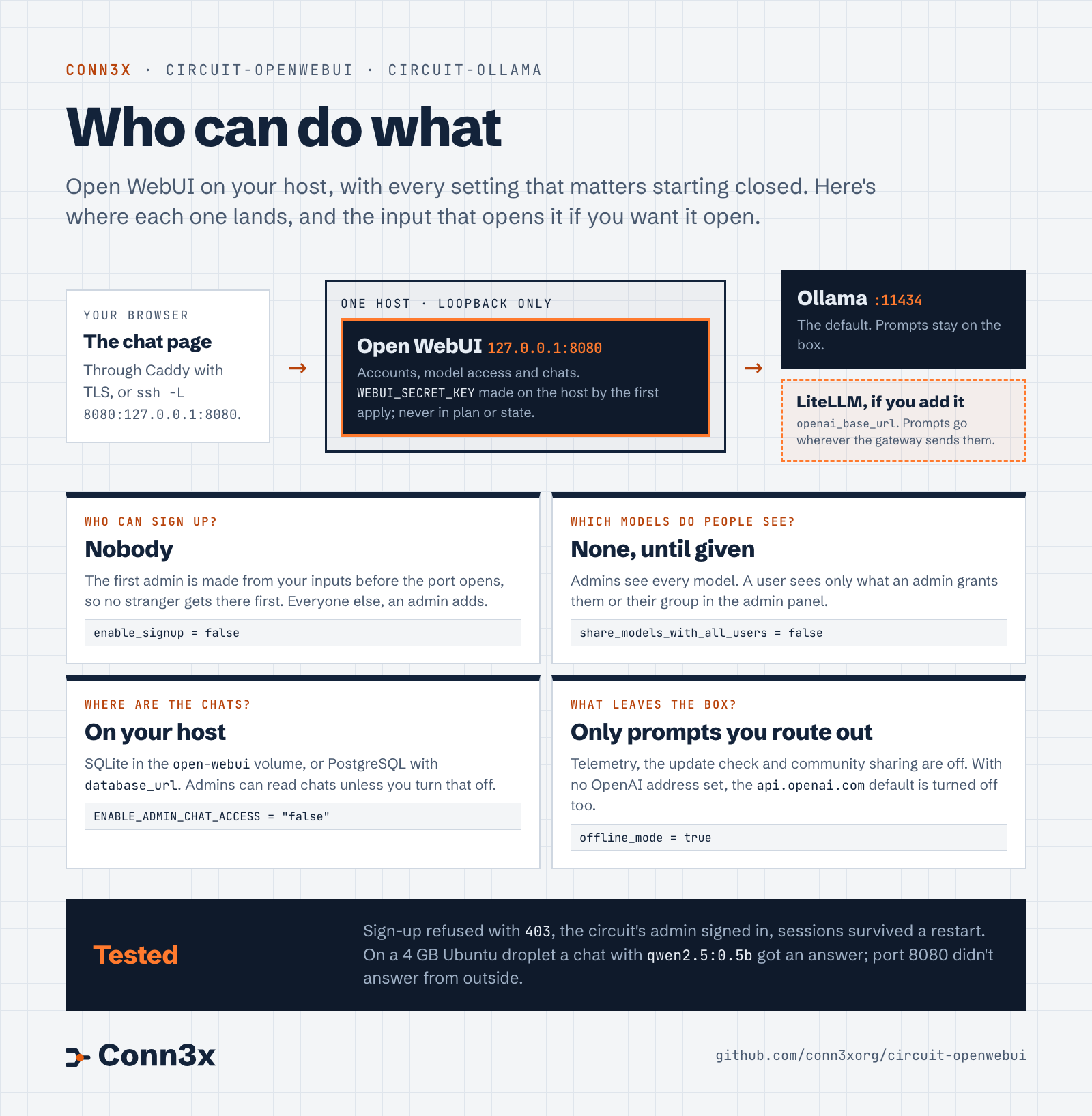
Read the diagram as text
- The path: your browser reaches Open WebUI on
127.0.0.1:8080through Caddy with TLS, or throughssh -L 8080:127.0.0.1:8080. Open WebUI talks to Ollama on port 11434 by default, where prompts stay on the box, or to a LiteLLM gateway if you setopenai_base_url, in which case prompts go wherever the gateway sends them.WEBUI_SECRET_KEYis made on the host by the first apply and never appears in plan or state. - Who can sign up? Nobody (
enable_signup = false). The first admin is made from your inputs before the port opens; an admin adds everyone else. - Which models do people see? None until given (
share_models_with_all_users = false). Admins see every model; a user sees only what an admin grants them or their group. - Where are the chats? On your host, in SQLite in the
open-webuivolume or in PostgreSQL withdatabase_url. Admins can read chats unless you setENABLE_ADMIN_CHAT_ACCESS = "false". - What leaves the box? Only prompts you route out (
offline_mode = true). Telemetry, the update check and community sharing are off, and with no OpenAI address set, theapi.openai.comdefault is off too. - Tested: sign-up refused with
403, the circuit’s admin signed in, and sessions survived a restart. On a 4 GB Ubuntu droplet a chat withqwen2.5:0.5bgot an answer, and port 8080 didn’t answer from outside.
Build it
Open WebUI and circuit-ollama on one host, straight from the README:
variable "admin_password" {
  type      = string
  ephemeral = true
  sensitive = true
}

module "ollama" {
  source = "github.com/conn3xorg/circuit-ollama?ref=v0.1.1"

  hosts                = { ai = "192.168.1.50" }
  ssh_private_key_file = "~/.ssh/id_ed25519"

  models = ["qwen2.5:0.5b"]
}

module "openwebui" {
  source = "github.com/conn3xorg/circuit-openwebui?ref=v0.1.0"

  depends_on = [module.ollama]

  hosts                = { ai = "192.168.1.50" }
  ssh_private_key_file = "~/.ssh/id_ed25519"

  admin_email    = "you@example.com"
  admin_password = var.admin_password
}
export TF_VAR_admin_password='...'
conn3x apply
Open WebUI listens on 127.0.0.1:8080, so nothing off the host can reach it yet. To try it before you set up a proxy, tunnel in:
ssh -L 8080:127.0.0.1:8080 root@192.168.1.50
Then open http://localhost:8080 and sign in with the admin account. For your team, put circuit-caddy in front with a certificate and reverse_proxy 127.0.0.1:8080.
Every door starts shut
Sign-up. Open WebUI always lets the very first account through, and makes it an admin. On a fresh install, that’s whoever loads the page first. So the circuit makes the first account itself, from admin_email and admin_password, while Open WebUI starts and before it opens its port. There’s no window for a stranger. After that, sign-up stays shut and you add people in the admin panel.
Models. A new user signs in and sees an empty model list. That’s not a bug. They see only what an admin has given them, or a group they’re in. You can make it a free-for-all with share_models_with_all_users = true, and for a homelab that might be fine; for a company, the empty list is the point.
Chats. They live on your host, in a SQLite file in the open-webui volume, or in PostgreSQL if you give it database_url. Choose before the first apply, because switching later starts on an empty database. And know that Open WebUI’s admins can read users’ chats. If they shouldn’t, add ENABLE_ADMIN_CHAT_ACCESS = "false" to environment.
What leaves. Prompts go to the model servers you connect, and to nothing else. With Ollama on the same box, that’s nowhere. The circuit turns off Open WebUI’s anonymised telemetry, its update check and sharing chats to the community site, and with offline_mode it won’t pull from Hugging Face or pip either. One default deserves a mention: left alone, Open WebUI has an OpenAI connection pointing at api.openai.com. When you don’t set openai_base_url, the circuit turns that connection off.
Settings. With persistent_config = false, every restart takes its settings from what the circuit wrote, not from the database. An admin can still flip something in the panel and it works, but the next restart puts back what your configuration says. Users, groups, model grants and chats are data, and they stay.
Hosted models through the gateway
Some work wants a bigger model than a CPU can run. Rather than give Open WebUI a provider’s key, give it a key to last week’s gateway:
module "openwebui" {
  # ...
  openai_base_url = "http://127.0.0.1:4000/v1"
  openai_api_key  = var.litellm_key
}
The provider keys, the budgets and the spend logs then stay in LiteLLM, and taking a model away from everyone is one change in one place. The key itself is ephemeral, so it reaches the host in a root-only file and never your plan or state. Just remember the trade: from that moment, prompts sent to a hosted model leave the box, because that’s what a hosted model is.
What we tested
CI applies the example to Rocky Linux 10, Fedora 45, Ubuntu 24.04 and Debian 13 and checks the second plan has no changes. It signs in as the admin the circuit created, checks that sign-up refuses a new account with 403, and checks that a stand-in OpenAI-compatible server’s model shows up. Then it restarts Open WebUI and checks the session token from before still works, which needs both the secret key and the database to come through.
By hand, on an Ubuntu 24.04 droplet with 4 GB of memory, Open WebUI ran beside Ollama with qwen2.5:0.5b, kept its data in PostgreSQL, and a chat got an answer. On a 2 GB Rocky Linux 10 droplet with SELinux enforcing, it ran on SQLite. On both, port 8080 didn’t answer from outside, Open WebUI used about 700 MB of memory, and after a reboot it came back with the admin able to sign in.
What it doesn’t do
- It doesn’t install the models. That’s circuit-ollama, or a gateway such as circuit-litellm.
- No TLS, no open port. Open WebUI speaks plain HTTP on loopback. Caddy or an SSH tunnel is how you reach it.
- No user management. Adding people, making groups and granting models happen in the admin panel.
- No GPU. circuit-ollama runs models on the CPU, which is fine for small ones and slow for big ones.
- No backups. Back up the
open-webuivolume, and PostgreSQL if you use it. - It’s big. The image is about 1.6 GB compressed for amd64; leave 10 GB of disk free.
- Upgrades are untested. Moving from one
openwebui_versionto the next hasn’t been tried yet.
Open WebUI’s own license is its Open WebUI License, a BSD-3-Clause license with a branding clause. Read it before you rebrand the page.
Try it
The README has every input, and examples/local runs it on a throwaway container. Next week: what to do about the customer’s phone number someone is about to paste into that chat box.